
Using a Mediahawk static number assigned to Google Ads and Google call reporting (Google call forwarding) you can see the keywords in Mediahawk that are generating your calls directly from your paid Ads on Google.
In addition you can send these conversions back to your Google Ads account as a unique conversion, including any sales values imported to Mediahawk (within 55 days of the initial visit)
Google Call Reporting and Call forwarding numbers must be enabled within Google.
You will require a static number from MH to track the specific calls.
How do I assign a static number to Google Ads
Login to the Mediahawk reporting platform Here
Navigate to the Admin area (If you do not see the Admin area, please contact our Client Services team)

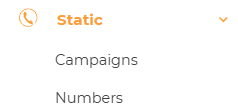
Select Static in the left column, then Numbers.
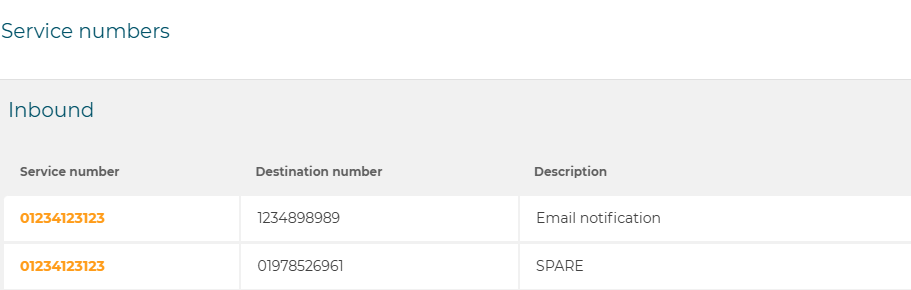
 This will display a list of the static numbers assigned to your account (if none are available, Here is a guide how to add them to your account or contact our client services team).
Select the number you would like to assign to Google Ads.
This will present you with the setup screen
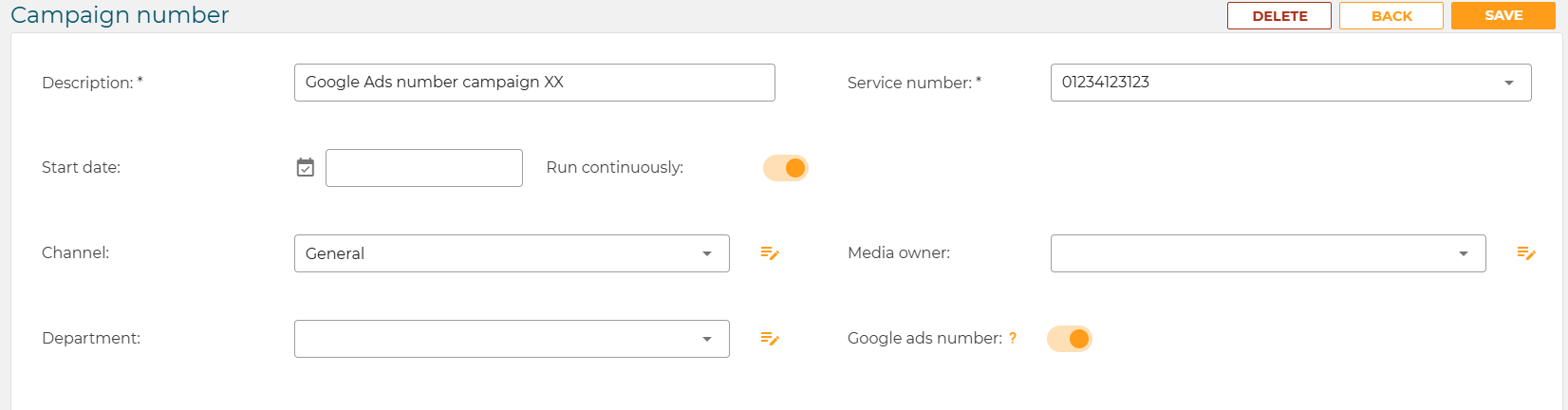
Rename the number Description, this always you to identify where the Google Ads number is displayed if used on specific campaigns,
At this stage you can also assign a Channel, Media Owner and Department that allow you to segment the data
Now switch the Google Ads Number toggle to on (Amber)
This has now setup your Numbers in Mediahawk to collect data for these calls from your Google account.
How do I send conversions back to Google Ads
Check you have Google Ads integrated with your Mediahawk reports, using the this Guide, if you do follow the Sending Conversions directly to Ads section.