The conversions report provides a unified view of call, form, and chat conversions. To access it, navigate to reports, click on the drop down box and select the Conversions option.

As with all reports, the Conversions report has functional options that can be applied to ensure that you are viewing the most relevant data. These have been broken down into the following categories:

1. Key conversions
When 'Only show key conversions' [1] is toggled on, the report will only show the conversions that had been selected as key conversions during the setup process.
2. Conversion selection
By clicking on the filter icon [2] you will be able to select the types of conversions that you would like to see by default. If Key conversions are toggled on, then only the key conversions of that conversion type will display.
3. Column selection
The top options in the list which are applicable across all conversion types, are toggled on by default. To view additional data that is conversion specific such as ring length, which is only relevant to calls, click on the column icon [3] and toggle the option on. This is then included in your default view each time you access the report.

4. Menu
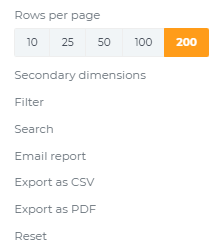
As with most other reports, the menu option [4] allows further filtering, searching for specific data and the ability to export the data for offline access.