
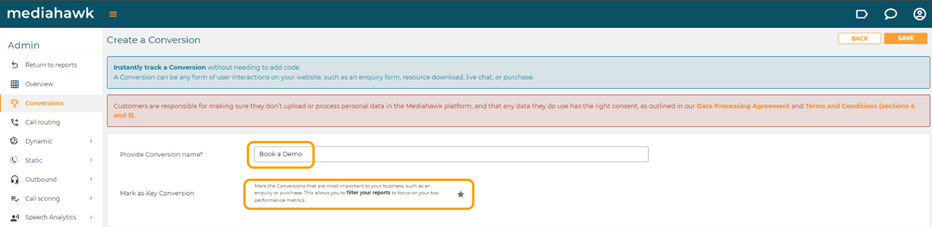
In the first field, enter a name for your conversion which would make it easily identifiable for tracking e.g. contact page form
At this stage you can mark the conversion as a key conversion, which identifies those most important to your business. This is done by clicking on the star icon and will ensure that you can filter your reports to focus on your top performance metrics.
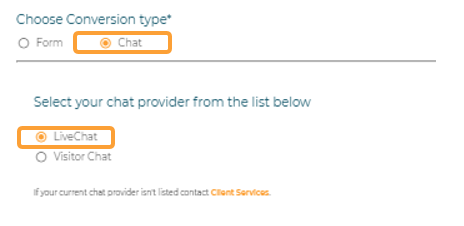
Selecting the conversion type will populate the screen with the relevant fields to set up a form or chat. When Chat is selected, you are prompted to select between LiveChat and Visitor Chat. These are currently the only choices available, however please contact clientservices@mediahawk.co.uk if you use a different provider.
Finally, you should create or select a conversion category. This assigns a label to each conversion so they can be grouped e.g. Sale, Service, etc. These can then be used in filters and secondary dimensions to gain more granularity in your reports.

Save your conversion.